
Navigating the AI Hype: A Sceptic’s Look at Practical Uses for Teachers
I admit that I am somewhat sceptical about the future of AI in education. The rush by the big AI companies to release “education versions” of their Large Language Models (LLMs) does little to impress me. This might seem a bit strange, given that personally, I use a Chinese AI agent quite a lot, mainly as a research assistant.
But I am not alone in my sceptical viewpoint. Over the past year, the mood on LinkedIn – which is where the main research discussion seems to take place – has moved noticeably against AI. The technology is increasingly seen as limiting agency for learners; its tendency to provide ready-made answers can short-circuit the struggle that is essential to cognitive learning. Meanwhile, the ecological impact of LLMs and massive data centres is hardly encouraging, and the tendency for so-called hallucinations, while reduced, is certainly not solved. Finally, for now at least, the behaviour and pronouncements of the leaders of the big AI companies do not exactly inspire confidence.
But occasionally, I see reports and articles that project a more positive, grounded note. One piece that recently caught my eye is Claude Is Free for Teachers. Here Are Fifteen Things I Use It For by Stefan Bauschard . What I appreciated about Bauschard’s perspective is that it cuts through the usual hype. He does not claim AI will revolutionise the classroom or replace pedagogy; instead, he treats it as a blunt, practical tool for the administrative and preparatory heavy lifting that eats up a teacher’s evenings.
Bauschard recently detailed how he integrates Anthropic’s Claude into his daily workflow as a debate coach and educator. His approach is notably low-tech: he does not spend time crafting careful, engineered prompts. Instead, he uses voice dictation or types “chicken-scratch” notes -the same half-legible fragments he would scribble on a folder – and uploads his existing class materials to give the AI context.
Here are a few of the most compelling, practical uses he highlighted:
First, he uses it to test-run materials before students see them. By feeding a lesson or handout into the AI and asking if an eleven-year-old will understand it, the tool can flag vocabulary that is too advanced or pacing that sags. It provides a quick read on whether material pitched at college students needs adjusting for a younger room.
Second, he uses it for rapid updating of examples. Bauschard teaches debate, where topics rotate frequently. Instead of letting his textbook examples grow stale because rewriting them takes too long, he feeds the new debate topic into the AI and has it rewrite the examples throughout his materials to match the current context. He notes that while he proofreads everything, he rarely has to change the output.
Third, he leverages it as a sounding board for pedagogical problems. When a lesson falls flat or a student disengages, he uses the voice memo feature on his phone to talk through the problem with the AI. He describes what happened in the room and asks what he might be missing. It is not that the AI has the definitive answer, but rather that it asks the questions a good colleague would ask late at night when no colleague is around.
Fourth, he uses it to capture live teaching. This is perhaps his most innovative use. Bauschard records his own lectures (being careful to avoid recording student voices to comply with privacy policies). He then feeds that transcript back into the AI along with his slide deck. The AI updates the written materials based on the improvised examples and better explanations he came up with on the fly, capturing the teaching that actually happened rather than just the plan.
Finally, he uses it for streamlining evaluations and reports. For individual student evaluations, he taught the AI his specific grading rubric. He then feeds it brief voice notes he records after class, along with audio of students stating what they learned that day. The AI compiles this into structured, individual PDF reports. Similarly, he uses it to turn raw transcripts of online classes into comprehensive summaries for parents, cleanly separating what was taught from what is due for homework.
Bauschard’s approach is refreshing because it is entirely functional. He relies on “Projects” to keep the AI grounded in his specific syllabus and textbooks, preventing the generic output that frustrates so many first-time users.
While I remain deeply cautious about deploying AI directly to students – where the risks to cognitive development and learner agency are real – Bauschard’s article demonstrates that when used strictly as a back-office assistant for the educator, these tools can genuinely reclaim lost time. It is a pragmatic view of AI: not as a revolutionary tutor, but as a competent clerk.
References
About the Image
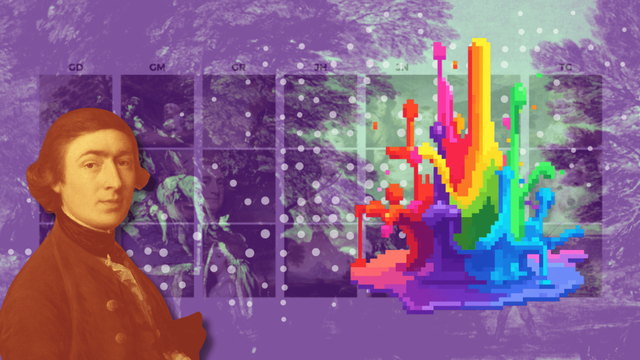
Synthetic visual data is increasingly being generated to account for the lack of available high-quality visual data that can be used to train AI models. For instance, in one study, synthetic visual media were generated using Stable Diffusion and DreamBooth to increase the representation of artwork from specific late 18th and early 19th century British painters to build an AI model for author attribution. In the process of creating synthetic visual data, existing images of British painters’ artwork were subjected to machine editing such as rotation, scaling or contrast changes, to create various variants of the original data. This image questions the fine line between synthetic media and AI slop. Some uses of synthetic media can be useful for training AI models, but they can also cause model collapse due to the poor quality of the training data.